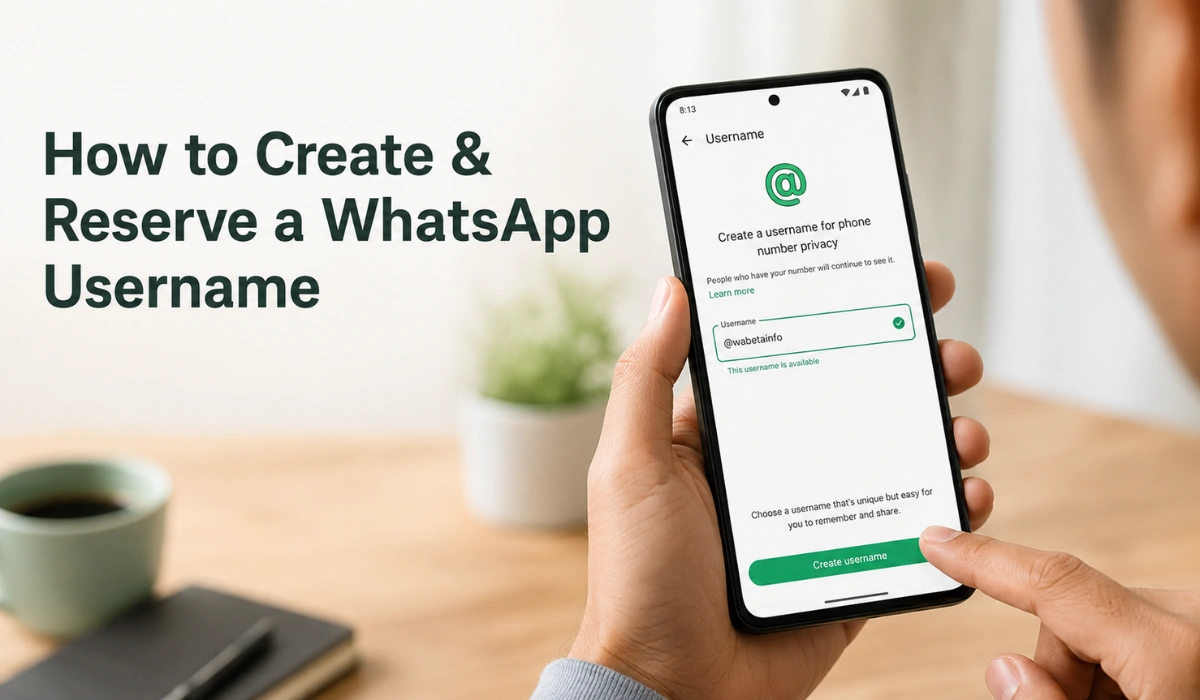
WhatsApp is finally changing how we connect with people. We have always needed a phone number to chat with someone new for years. That old system is completely going away.
The app is now introducing custom WhatsApp usernames. This is a massive privacy update for everyone. But you also need to act fast to grab a good name.
This guide explains exactly how this new feature works. It also shows you how to do a WhatsApp username reservation before someone else steals your favorite handle.
What Is a WhatsApp Username?
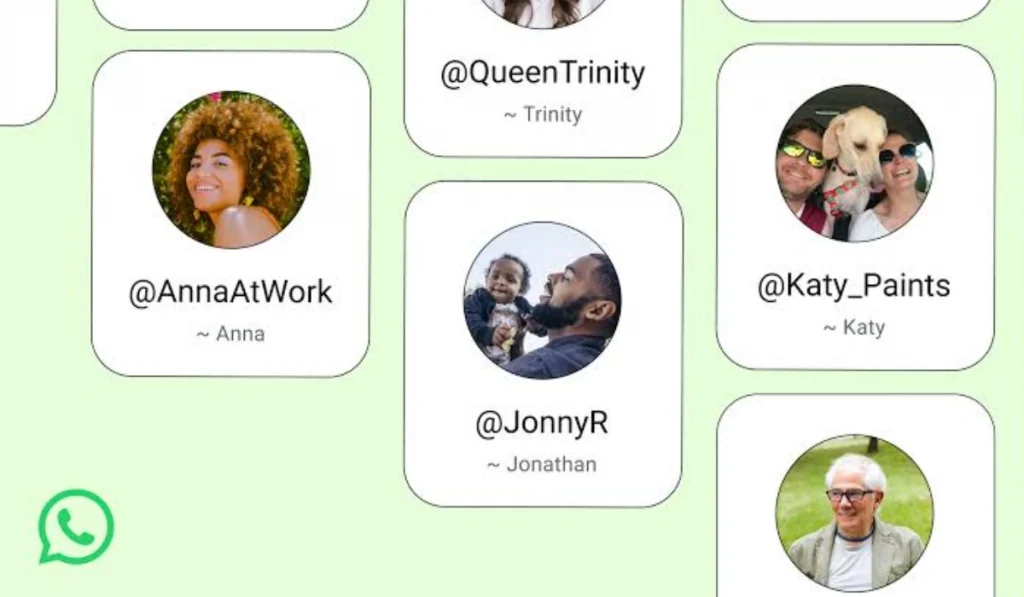
A WhatsApp username is your brand new digital identity on the app. It completely replaces your personal phone number for new chats.
You can just give someone a simple handle instead of your private digits. This hides your real phone number from total strangers. It is absolutely perfect for talking to online clients or massive group chats.
This new feature makes the app work a lot like Telegram or Instagram. You get total control over who actually sees your contact details.
Why WhatsApp Username Reservation Matters
Good names always disappear incredibly fast on the internet. That is exactly why early WhatsApp username reservation is a huge deal right now.
Reservation simply means booking your favorite handle before the whole world gets access. You lock it in so nobody else can take it.
Millions of people use this app every single day. A simple name like John or Sara will vanish on day one. Booking your name early is extremely smart for your personal brand.
How to Reserve Your WhatsApp Username
The setup process is very easy if your account actually has the new update. Make sure your phone app is fully updated first.
Follow these exact steps to claim it:
Step 1: Open the WhatsApp application on your phone.
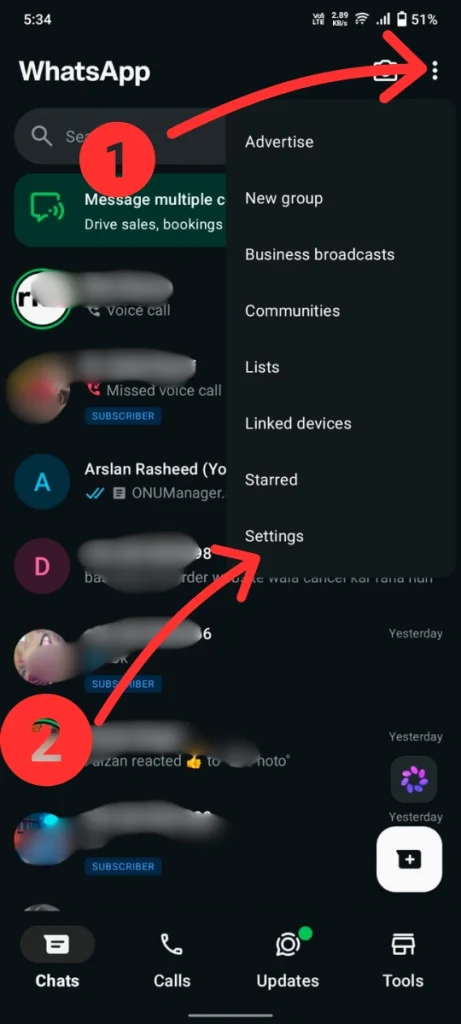
Step 2: Tap ⋮ and then select Settings in the top corner.
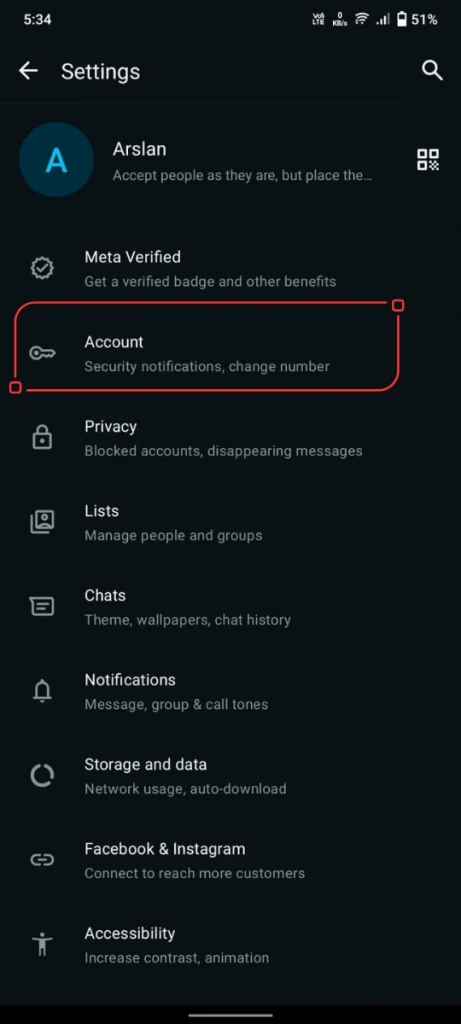
Step 3: Tap on Account or click your profile picture.
Step 4: Look closely for the WhatsApp Username option.
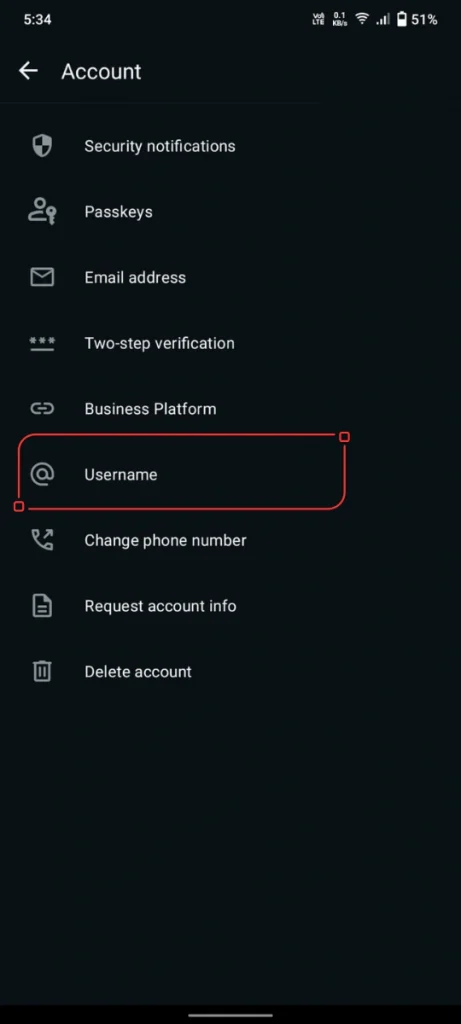
Step 5: Type in the specific name you actually want.
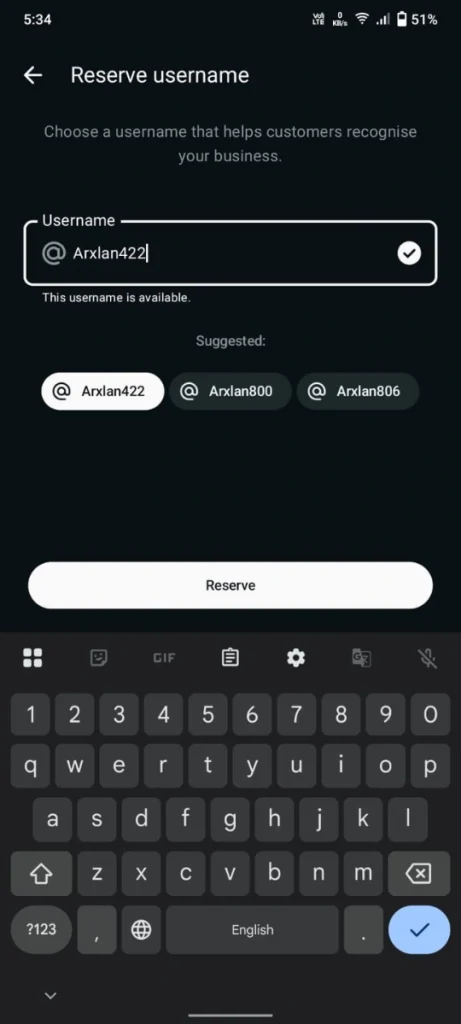
Step 6: Check whether the system indicates the name is completely available.
Step 7: Save the changes right there.
Some iPhone users might find this inside their profile settings instead. Just wait a few days if you do not see it at all.
How to Choose a Good WhatsApp Username
You should pick something very easy to read. It should match your personal identity perfectly. Do not make it super long or messy.
Use your real nickname for a private family account. Use your exact brand name for a business profile. Try to match your current YouTube or TikTok handles completely.
Avoid spelling words in a highly confusing way. The other person needs to understand it quickly over a simple voice call.
WhatsApp Username Rules You Must Follow
The app will show you the exact rules right on the screen. WhatsApp usernames always have to be totally unique.
Beta testers noticed you can use lowercase letters and numbers. You can also use basic periods and underscores. But you definitely cannot start or end the word with a period.
These tiny rules might change before the full launch. So just follow the screen prompts very carefully.
Here are a few safe tips to remember:
- Keep it short: Shorter names are always much better.
- Use clear words: Show your personal brand easily.
- Limit symbols: Do not use fifty dots or underscores.
- Check spelling: Avoid highly confusing letters.
- Be yourself: Do not pretend to be a fake celebrity.
- Protect privacy: Never type your phone number in the name.
A simple name like Ayesha.Designs looks great. A messy name like Ayesha__Designs_927391 looks totally awful.
The WhatsApp Username Security Key
The app is also adding an optional security key. This adds a massive layer of pure privacy to your account. People will definitely need this exact key to message you.
It is basically a secret four-digit PIN code. You only share it with people you actually want to talk to. It heavily stops unwanted spam messages.
This feature is incredibly important for your peace of mind. A public name brings random spam if you do not use limits. Just pick a completely random code for this.
Can People Search Your WhatsApp Username?
These new names will not work like a public social media directory. Random people cannot just search a giant public list to find you.
They absolutely need to know your exact spelling to send a text. The main goal is just private chatting. It is not about going viral on a public app.
But you still need to be very careful. Posting your WhatsApp username on a public website means anyone can try to reach you. So only pick a name that you actually want the public to see.
What If Your WhatsApp Username Is Taken?
This exact problem will happen to millions of people. Very common names will disappear immediately.
Do not panic if your favorite WhatsApp username is completely gone. Just make a tiny clean change.
| Style Change | Great Example Ideas |
|---|---|
| Add your exact job | AliWrites, TheCopywriter, SmartServices |
| Add your city or country | SaraDesignsPK, UrbanVibe, NYStudio |
| Add one simple dot | Hamza.Tech, Name.Solutions, Soft.Aura |
| Add one underscore | Noor_Studio, Digital_Zain, Code_Hamza |
| Add a brand word | ZainCreative, DesignByAli, NovaMind |
| Use your real initials | MKConsults, AKDesign, WordsBySN |
Do not add fifty random numbers at the end. AliWrites07 looks totally fine. But Ali_9283_XYZ looks like a fake bot account.
Bad Mistakes to Avoid with WhatsApp Usernames
People always pick terrible names in a huge rush. They deeply regret it a few weeks later. Check it properly before hitting that save button.
Avoid doing these specific things:
- Too long: Long names are super hard to type.
- Number overload: It looks exactly like a spam account.
- Brand theft: Do not copy a real registered company.
- Hard spelling: People will definitely type it wrong.
- Symbol mess: Extra dashes look incredibly ugly.
- Unprofessional tone: Bad words completely ruin your business image.
- Private details: Never put your home address in it.
A funny name feels great today. But it feels super awkward when a new client sees it next month. Think deeply before saving it.
Why Is the WhatsApp Username Option Missing?
Your app might not show the WhatsApp username reservation button quite yet. That just means the update has not reached your phone. Not everyone gets it on the exact same day.
Try doing this right now:
- Update the app: Check your official app store today.
- Restart the app: Swipe it away and open it again.
- Check the settings: Look at the menu one more time.
- Look at the profile: Check your account details page.
- Wait patiently: The full feature is still rolling out.
Do not trust random unlock tools online. They are totally fake and will definitely steal your data.
Final Thoughts
WhatsApp usernames completely change how we chat. It protects your personal number and gives you full control over your privacy. Doing a WhatsApp username reservation early is a very smart move.
Just pick something short and clean. Make a tiny variation if someone already took your absolute first choice.
Update your app today and wait for the official rollout. Then quickly grab the exact name you really want.